{"id":"encryxpted/rokeys","name":"rokeys","scope":"encryxpted","platform":"roblox","description":"Mirrored from the Wally registry.","version":"0.1.0","latest":"0.1.0","versions":["0.1.0"],"license":"Apache-2.0","licenseRating":"safe","licenseCaveats":["Modified files must carry a notice of changes. If the package ships a NOTICE file, its attributions must be preserved.","License identified from the packaged LICENSE file; the manifest declared none."],"licenseVerified":true,"dependencies":{},"integrity":"e3a06cf6fe48d27c057187b3a3b09def348ffd0d5f1ca4096147093e784b04a1","likes":0,"downloads":0,"install":"forest install encryxpted/rokeys","url":"https://forest.dev/p/roblox/encryxpted/rokeys","files":"https://api.forest.dev/ai/package/roblox/encryxpted/rokeys/files","readme":"\r\n\r\n\r\n\r\n**RoKeys** is an *Open-source* Keybinding script for **Roblox** that strives for *usability* and *versatility*\r\n\r\nLinks: \r\n- **Discord**: *https://discord.gg/AyqHpaUnTe*\r\n- **Roblox**: *https://www.roblox.com/library/10263313095/RoKeys*\r\n\r\nOn this page you will find sections labeled as follows:
\r\n- **Terms of Use**\r\n- **Installation**,
\r\n- **Basic Use**,
\r\n- **Advanced Use,**
\r\n- **FAQ,** and
\r\n- **Licensing**
\r\n\r\n## Terms of Use\r\n\r\n### By using this project you Agree to these terms and the terms of the official licensing.
\r\n\r\nWhen using **RoKeys** in your game, please give credit back to this project, exposing this project to people who may need it is a big goal of mine and I hope that those of you who use it can abide by this rule.
\r\n**Official Branding can be found in the folder labeled `Branding`**.\r\n\r\nWhen **branching off** of this project, **redistributing** it, or making **your own distribution**, please reference back to this page. For those who create their own distribution, please provide evidence that there is an **original** change in the code from this project to yours, copying code is not tolerated unless otherwise given permission *(this applies to copying code from other distributions, make sure you have permission before reusing code)*.\r\n\r\n**Do not forget** to take note of the `licensing` file, these additional terms are layered on top of terms found in that file *(**Apache License 2.0**)* and are not directly affiliated to the original lisencing. **You should thoroughly read through those conditions before using this project**.\r\n> you can also find a *link* to the **Apache License 2.0** along with some other info in the section labeled **Licensing**\r\n\r\n## Installation\r\n\r\n**BEFORE INSTALLING PLEASE READ THE TERMS OF USE**\r\n\r\nTo **Install** all you need to do is download the *latest version* from the **Releases Page**.
\r\nThe file to look for will look *something* like this: `RoKeysV1.lua`\r\n\r\nOnce you've downloaded the file to your *prefered destination* all you have to do is make a **Roblox project**
\r\nThen *(assuming you know how to make a new project)*, in **Roblox Studio** navigate to the `View` tab as seen at the *top* of the window.
\r\n
\r\n\r\nAnd *enable* the `Explorer`
\r\n
\r\n\r\nIn the **Explorer** navigate to a **service** called `ReplicatedStorage` and *Right Click* it to bring up a menu,
\r\nin that menu look for the option: `Insert from File`
\r\n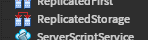\r\n
\r\n\r\nFrom there all you have to do is *look* for the file you downloaded and **open** it.\r\n\r\n## Basic Use\r\n\r\nOnce installed you can now use **RoKeys**, except with one extra step.
\r\n\r\n**First** you must make a `script` *(this script can be placed anywhere)*
\r\nInside that script paste the following code:
\r\n```lua\r\nlocal ReplicatedStorage = game:GetService(\"Replicated Storage\")\r\nlocal RoKeys = require(ReplicatedStorage.RoKeysV1)\r\n\r\n--you may have to edit this depending on where you put RoKeys and the version of RoKeys\r\n```\r\nAnd now you are ready to take full advantage of **RoKeys**.\r\n\r\n### Adding keybinds\r\n\r\nTo add a **keybind** use the function `AddKeyBind`. the function takes the name of a `bind` *(as a string)*, the `input` you want to assign to the bind *(as an EnumItem)*, and two `booleans` which determine wether then `bind` and `input` are *toggleable*.\r\n> as of v1 `Enum.KeyCode` is the only supported input type.\r\n```lua\r\nAddKeyBind(\"example\", Enum.KeyCode.X, true. false)\r\n--the first boolean effects the bind while the second effects the input\r\n```\r\nThis function can also be written where the `bind` and/or `input` are tables, containing both the `bind`/`input` and wether they are *toggleable* or not.\r\n```lua\r\nAddKeyBind({\"example\", true}, {Enum.KeyCode.X, false}) --notice the surrounding {} brackets\r\n--this will execute the same as the previous example\r\n```\r\nYou can also add *multiple* `inputs`, `binds`, or both in **one** function!\r\n```lua\r\nAddKeyBind(\"two inputs\", {Enum.KeyCode.X, Enum.KeyCode.Y}) --one bind has two inputs\r\n\r\nAddKeyBind({\"bind 1\", \"bind 2\"}, Enum.KeyCode.X) --two binds, each with one input\r\n\r\nAddKeyBind({\"two inputs 1\", \"two inputs 2\"}, {Enum.KeyCode.X, Enum.KeyCode.Y}) --two binds, each with two inputs\r\n```\r\n> **not limited to two for each**. you can also still provide `toggles` for each individual `bind` and `input`, any toggles provided in the `3rd` and `4th` slots will apply for any `bind` or `input` without a toggle behavior provided.\r\n\r\n### Removing keybinds\r\n\r\nThe function `DelKeyBind` takes the name of a `bind` *(as a string)* and an `input` *(as an EnumItem)*. The function will use the provided values to filter through the existing Keybinds and delete only the `input` for the provided `bind` and the `bind` for the provided `input`, essentially making a `bind` no longer usable with the provided `input`.\r\n```lua\r\nDelKeyBind(\"example\", Enum.KeyCode.X)\r\n--the input \"Enum.KeyCode.X\" will no longer interact with the bind \"example\"\r\n```\r\n> similarly to `AddKeyBind`, `DelKeyBind` supports deleting multiple `binds` and `inputs`, I reccomend being more careful however, as you could accidentally delete keybinds.\r\n\r\nYou can also delete `inputs` or `binds` en-masse as shown below:\r\n```lua\r\nDelKeyBind(\"example\", nil) --notice the input is nil\r\n--the bind \"example\" will be deleted in it's entirety\r\n\r\nDelKeyBind(nil, Enum.KeyCode.X) --notice the bind is nil\r\n--the input Enum.KeyCode.X will be deleted in it's entirety\r\n```\r\n\r\n### Reading Keybinds\r\n\r\nReading Keybinds is a lot simpler as compared to *adding* or *removing* them. To read keybinds you are provided *two* functions; `BindState` and `InputState`, in each all you need to do is provide either the `bind` or `input` *(depending on which function you are using)* and the function will **return** a `boolean` of wether the `bind`/`input` is **off** or **on**.\r\n```lua\r\nif BindState(\"example\") then --if bind \"example\" is on...\r\n --do something\r\nend\r\n--notice the function is in an if statement, that is because it returns a boolean\r\n```\r\n> `InputState` has the same usage except reads from wether an input is on.\r\n\r\n## Advanced Usage\r\n\r\nthis section is for advanced users, ready to get their hands dirty and work with my dirty code lol\r\n\r\n### Manually reading data\r\n\r\nAll data for **Keybinds** are stored in two tables, `bindTable` and `inputTable` *(both in the form of a dictionary)*. These two tables' formatting is as follows:\r\n```lua\r\nbindTable {\r\n bindName { --the name of the bind, depending on how many binds you have there will be that many of these\r\n boolean, --wether it is on or off\r\n boolean, --wether toggle is on\r\n input --reference(s) to it's input(s), multiple may be listed here\r\n }\r\n}\r\n\r\ninputTable { --same layout as bindTable\r\n input { --this will likely say token followed by a string of numbers, do not worry as it is just a side effect of using EnumItems\r\n boolean,\r\n boolean,\r\n bindName --like bindTable, multiple may be listed here\r\n }\r\n}\r\n```\r\nI strongly recommend using the built in functions to add and remove Keybinds. this section is for if you want to be able to read more data or have a better understanding of how it is stored\r\n\r\n## Changing the code\r\n\r\n**BEFORE CHANGING THE CODE PLEASE READ THE TERMS OF USE**\r\n\r\nI made my best effort to comment as much as possible inside of my code and will incrementally be bringing some of that here, if you have any questions you can ask them on **Github Issues** *(may not respond very fast)* or **Discord** *(link found at start of the document)*. \r\n> For frequently asked questions look in the following section (**FAQ**).\r\n\r\n## FAQ\r\n\r\n**FAQ** or **Frequently Asked Questions**, more specific questions can be found in the **Discord** *(link found at start of the document)*\r\n\r\n> Currently nothing here, this will become more populated as people ask questions. \r\n\r\n## Licensing \r\n\r\nCopyright [2022] [Urdons]\r\n\r\n Licensed under the Apache License, Version 2.0 (the \"License\");\r\n you may not use this file except in compliance with the License.\r\n You may obtain a copy of the License at\r\n\r\n http://www.apache.org/licenses/LICENSE-2.0\r\n\r\n Unless required by applicable law or agreed to in writing, software\r\n distributed under the License is distributed on an \"AS IS\" BASIS,\r\n WITHOUT WARRANTIES OR CONDITIONS OF ANY KIND, either express or implied.\r\n See the License for the specific language governing permissions and\r\n limitations under the License.\r\n","readmeTruncated":false}